
How to Get a VoIP Number in South Africa
If you are wondering how to get a VoIP number in South Africa, the process is easier than setting up a traditional landline. A VoIP number works over an internet connection, so you can use it with an IP phone, computer or mobile app.
For many businesses, this means you can keep one professional business number while working from an office, home or another location. You also do not need a traditional copper telephone line.
What Is a VoIP Number?
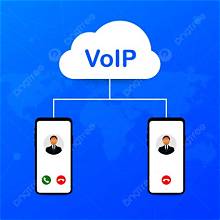
A VoIP number is a telephone number that uses the internet to make and receive calls. Instead of sending calls through a traditional landline, the service sends your calls through an internet connection.
As a result, your business can use a professional South African number without installing a conventional telephone line.
You can also connect the number to different devices. For example, you could use an IP phone at the office or a VoIP app on your cellphone.
How to Get a VoIP Number in South Africa
Getting a VoIP number usually involves a few simple steps.
1. Choose Your VoIP Package
First, decide how you want to use the number. A single-user package can suit a small business or individual. A multi-user system makes more sense when several employees need to answer calls.
Your choice can also depend on the features you need. These may include call forwarding, voicemail, IVR, call recording or multiple users.
2. Choose Your Business Number
Next, choose the type of South African number you need.
Depending on the service, you may be able to choose a local area code or a national number. A local number can give your business a number linked to a specific area, while a national number can work well for companies serving customers across South Africa.
If you already have a business number, number porting may also be possible.
3. Provide the Required Documents
South African VoIP services normally require customer information and identification documents before activating a number.
For example, Virtual Number requires RICA documentation, including identification and proof of address, for its VoIP service.
The exact documents can depend on the provider and the type of number you order.
4. Connect Your VoIP Device
Once your number is ready, you need a device that can handle VoIP calls.
You can use an IP phone such as a Yealink phone. Alternatively, you can use a mobile VoIP app. This gives you the option to answer business calls on your cellphone without giving customers your personal mobile number.
You will also need a stable internet connection. Fibre, LTE or another suitable broadband service can provide the connection needed for VoIP.
5. Start Making and Receiving Calls
After your VoIP number has been activated and your device has been configured, you can start using it.
Incoming calls can ring on your chosen device. Depending on your package, you may also forward calls to a cellphone, add other users or use a full business phone system.
Virtual Number currently lists single-user and multi-user VoIP options, with its sign-up page showing a single-user service from R169 per month and a multi-user service from R359 per month.
Can You Use a VoIP Number on a Cellphone?
Yes. You can use a VoIP app on a compatible cellphone instead of carrying a separate office phone.
This is particularly useful for people who work remotely or travel between locations. You can keep your business number while answering calls from your mobile device.
In addition, a VoIP number can separate business calls from your personal mobile number.
Do You Need a Landline for VoIP?
No. One of the main benefits of VoIP is that it does not require a traditional copper landline.
Instead, your calls use an internet connection. You can therefore run a business phone service from an office, home or another suitable location.
However, your internet connection needs to be reliable. A poor connection can affect call quality, so it is worth checking your internet service before choosing a VoIP package.
How Much Does a VoIP Number Cost in South Africa?
The cost depends on the type of service you need.
A basic single-user service will generally cost less than a multi-user business phone system. Additional features, users and calling requirements can also affect the monthly price.
For example, Virtual Number currently offers a single-user mobile landline service from R169 per month, while its multi-user managed service starts from R359 per month.
Calling rates can also vary between packages, so check the included minutes and per-minute rates before ordering.
Is VoIP Suitable for a Small Business?
Yes. VoIP can work well for small businesses that want a professional phone number without installing a traditional office telephone system.
A single user can start with a VoIP app or IP phone. As the business grows, the service can then expand to multiple users and a more complete phone system.
What’s more, employees can answer calls from different locations while still using the same business number.
Get a VoIP Number for Your Business
If you have been searching for how to get a VoIP number in South Africa, the basic process is straightforward: choose a suitable package, select your number, provide the required documents, connect your VoIP device and start making and receiving calls.
The right option depends on how many people need the number, where you want to answer calls and which features your business needs.
For a small business, a single-user VoIP service may be enough. For a growing team, a multi-user VoIP or Virtual PBX system can provide additional call management features.